Your Guide to Getting Started with Smart Homes
Embark on an exciting journey into the realm of smart living! This comprehensive portal is your dedicated resource, providing you with the essential knowledge, practical tips, and step-by-step guidance needed to confidently begin transforming your house into a connected and intelligent home. We understand that stepping into the world of smart technology can feel like navigating a new frontier, and that’s why we’ve curated this section to be your trusted companion. Whether you’re looking to enhance convenience, improve security, optimize energy efficiency, or simply add a touch of modern sophistication to your living space, you’ve come to the right place.
Choosing the Right Smart Devices
Selecting the Perfect Smart Devices for Your Needs
Choosing the right smart devices is the first step in building your connected home. Consider these important factors:
- Compatibility: Ensure that the smart devices you select can communicate effectively with each other. Look for common wireless protocols such as Wi-Fi, Zigbee, or Z-Wave, and verify compatibility with your preferred smart home ecosystem (like Amazon Alexa, Google Home, or Apple HomeKit).
- Your Specific Needs: Think about the areas of your home you want to automate or enhance. Are you focused on improving lighting, bolstering security, or increasing comfort through climate control? Prioritize devices that address your most pressing needs.
- Budget: Smart devices are available at various price points. Determine how much you’re willing to invest initially and explore the options within your budget. Keep in mind potential costs for hubs or additional accessories that might be required.
- Future Scalability: As your experience with smart home technology grows, you might want to add more devices. Consider choosing devices and ecosystems that allow for easy expansion and integration in the future.
Building a Strong Wi-Fi Network
Ensuring a Reliable Foundation for Your Smart Home
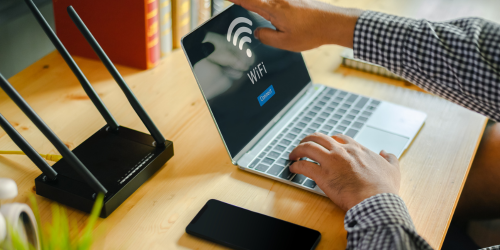
A strong and stable Wi-Fi network is essential for the smooth running of all your smart home devices. Here are some practical tips to optimise your setup:
- Strategic Router Placement: Place your Wi-Fi router in a central location in your home, clear of thick walls, large metal appliances, or devices that could cause signal interference. This helps ensure better coverage throughout.
- Wired Access Points Over Extenders: Instead of relying on Wi-Fi extenders, which can halve your speed and cause reliability issues, invest in wired access points (APs) connected via Ethernet. This creates a far more stable and faster Wi-Fi network, especially in larger homes or double-storey setups.
- Managing Bandwidth Demand: The more smart devices you add, the more bandwidth your network needs. Make sure your internet plan is up to the task, and consider upgrading to a dual-band or mesh-capable router with wired APs to keep everything running smoothly.
Installing Smart Lights:
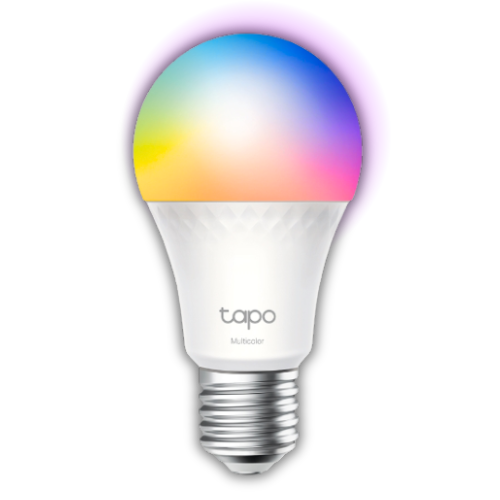
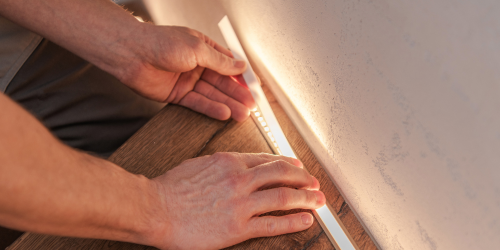
- Begin by safely unscrewing your existing light bulb and replacing it with the new smart bulb.
- Download the dedicated mobile application provided by the smart bulb manufacturer.
- Follow the instructions within the app to connect the bulb to your home Wi-Fi network.
- Explore the app’s features, such as dimming, color adjustments (if supported), and setting up lighting schedules.
- Quick Troubleshooting Tip: If the smart bulb fails to connect, double-check that you’ve entered the correct Wi-Fi password and that the bulb is in its pairing mode (often indicated by a specific blinking pattern).
Setting Up Smart Speakers:
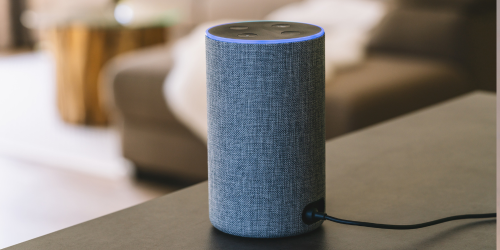
- Plug in your smart speaker and download its corresponding mobile application (e.g., the Amazon Alexa app or the Google Home app).
- Use the app to connect your smart speaker to your home’s Wi-Fi network.
- Link your accounts for various services such as music streaming platforms, calendar applications, and other compatible integrations within the app.
- Begin experimenting with basic voice commands to play music, set alarms and timers, and ask for information.
Automating Blinds and Curtains:
- Installation Notes: The installation process for smart blinds and curtains can vary depending on the specific type. It may involve mounting brackets and connecting the motor mechanism. Always refer to the manufacturer’s detailed instructions.
- Connect your smart blinds or curtains to your home Wi-Fi network or a compatible smart home hub using the designated mobile application.
- Establish automated schedules for opening and closing your blinds or curtains based on specific times of day or even sunrise and sunset.
- Investigate options for remote control via the mobile app or through voice commands if you have a compatible smart speaker.

Programming Automation Routines:
- Automation routines allow you to create custom “if this, then that” scenarios that make your smart home truly intelligent.
- Example 1 (Lighting): “When the sun sets each day, automatically turn on the living room lights.” You can typically configure this within your smart lighting app or a broader smart home management platform.
- Example 2 (Security): “If the motion sensor on the front door camera detects movement after 10:00 PM, send an immediate notification to my smartphone.” This type of routine is usually set up within your security camera’s application.
- Explore the various triggers (such as time, device status, or even your location) and the corresponding actions (like turning devices on or off, sending alerts, or adjusting settings) to create a personalized level of automation.